Belongs to the sale
Date · Revenue · Sale type

Stock footage sales tracking that stops asking you to retype the same clip twelve fields at a time.
A sales spreadsheet has fifteen columns, but only three of them describe a sale.
N → type part of the clip name → ↵ → type the amount → ↵. Focus returns to the search box, so a morning's worth of sales is one continuous run.
“sg gard” finds the Gardens by the Bay clips. Repeat sellers rank first, with their sale count and lifetime revenue alongside.
A new clip called SG_…05 - Vertical already knows it is
Singapore and vertical. If a sibling in the same numbered series exists,
one click copies the rest.
Paste the whole comma list. Duplicates drop out, the counter stops at 49, and past entries autocomplete.
Divides each curator's earnings by how many clips they keyworded — so a small, effective curator stops being hidden behind a large one.
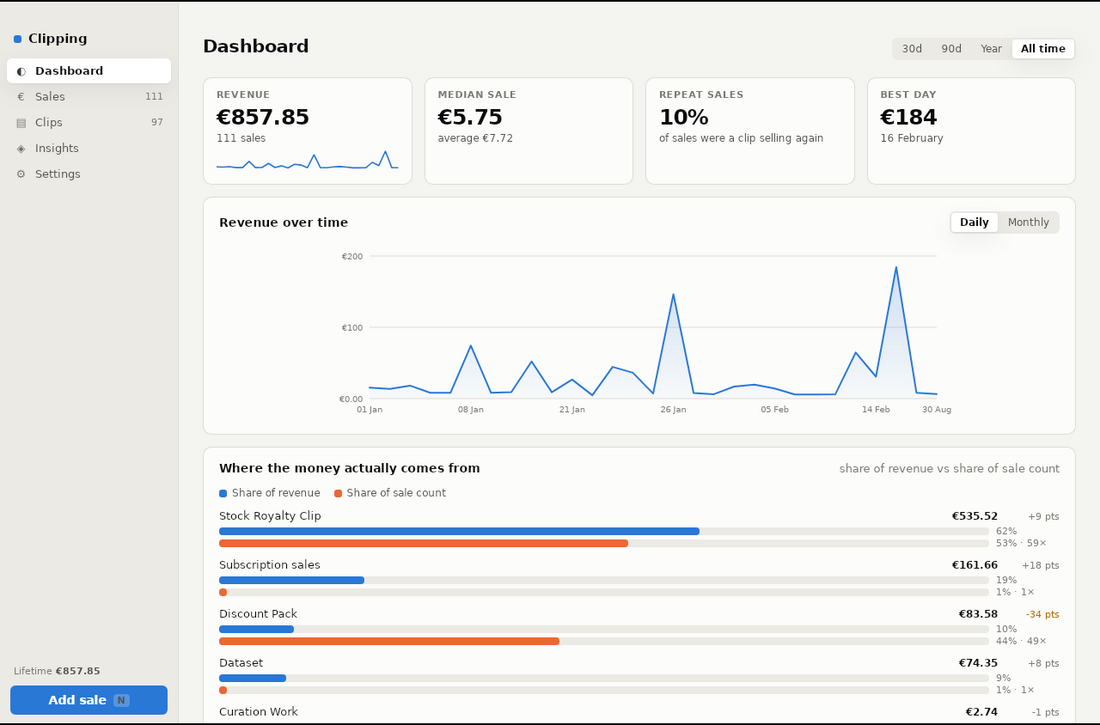
Share of revenue against share of sale count, side by side, on one axis. Discount packs show up immediately.
Invisible in a sales sheet — a clip only appears there once it has already earned. Add the catalogue and the dead inventory becomes visible.
.dmg and drag Clipping into Applications.xattr -dr com.apple.quarantine /Applications/Clipping.appEverything lives in one SQLite file on your Mac. Nothing is uploaded, and the app works with the network off.
Drag the .xlsx onto the window on first launch. Every
worksheet is read — a workbook with a tab per year contributes all of
them. Repeated clips collapse into one library entry, 4k and
4K merge, and each sheet's SUM row is recognised rather than
imported as a sale.
You get a full count first — rows read, new clips, sales to create, and anything skipped with the reason. Running it twice is safe: clips are matched by name rather than duplicated.
Writes the original column layout back out, so anyone expecting the old file still gets it. Plus a one-click database backup.